This post may contain affiliate links, please read my full disclosure policy for more details.
Hi all,
If you’ve already joined our new Cuddly Stitches Community, I have some exciting news for you!
There’s now a free mobile app you can download to access the community right from your phone. It makes it really easy to keep up with the latest posts, see what everyone is making, and share your own projects and photos too. Keep reading to find out how to get the app and get started!
If you haven’t signed up yet, you’re very welcome to be part of it! It’s a friendly place for Amigurumi lovers to share their creations, ask questions, pick up tips and ideas, and see what other makers are working on. Come crochet, connect and inspire each other!
Cuddly Stitches Community
Join thousands of other Amigurumi crocheters in our community. Get help with your projects, show off your creations and share helpful tips and tricks.
How to download the app on your phone!
Visit the App Store on your iPhone, or the Google Play Store on an Android phone, and search for Raptive Community. Simply download the app (it’s free), log in to your account, or sign up if you haven’t created an account yet. And that’s it – simple as that! You can read below to see how to navigate the app and make the most of it.
How to navigate your app!
Once you log in, you’ll find a navigation menu at the bottom of your phone screen. From here, you can easily choose where you want to go and what you’d like to see.
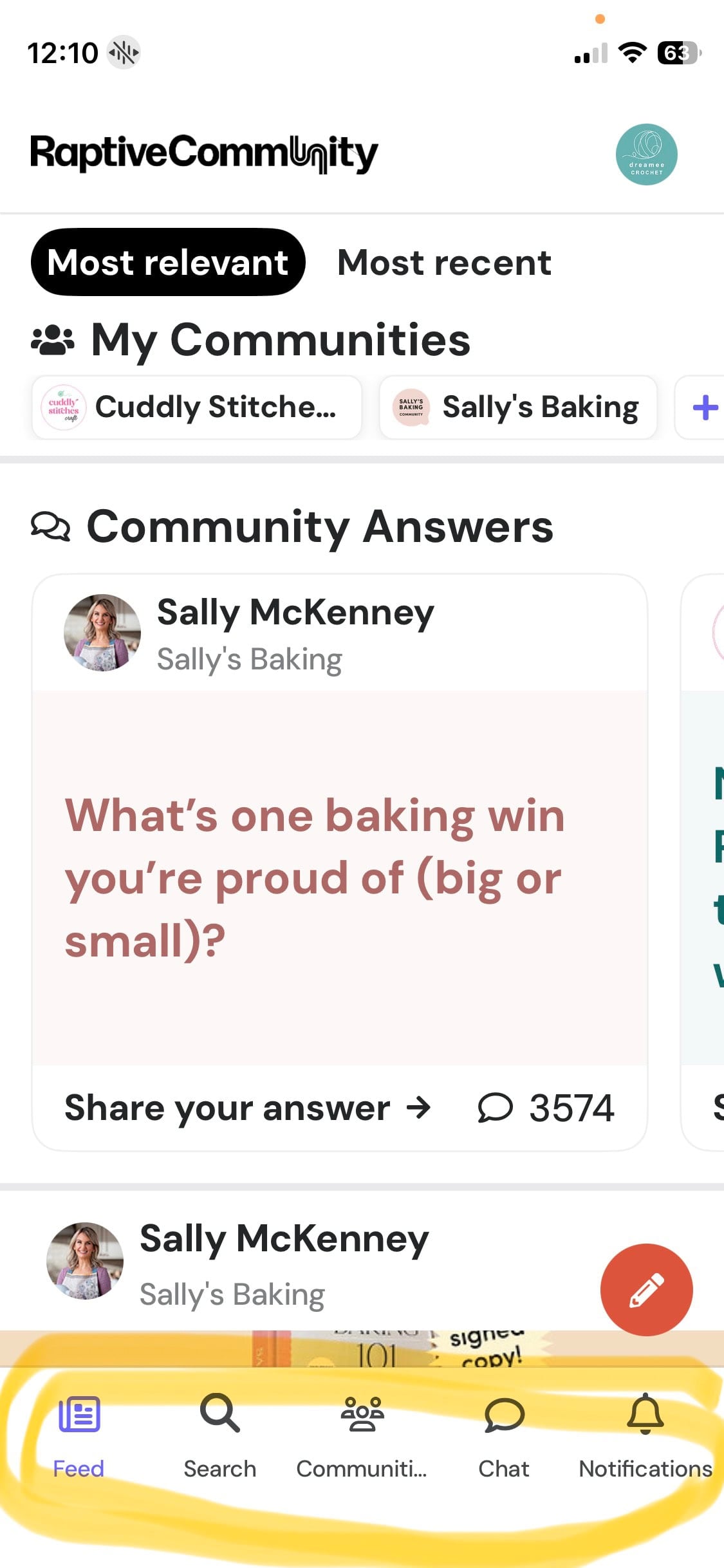
To see what everyone has been up to, select Feed from the navigation bar. This will open your community feed, where you can see all the posts.
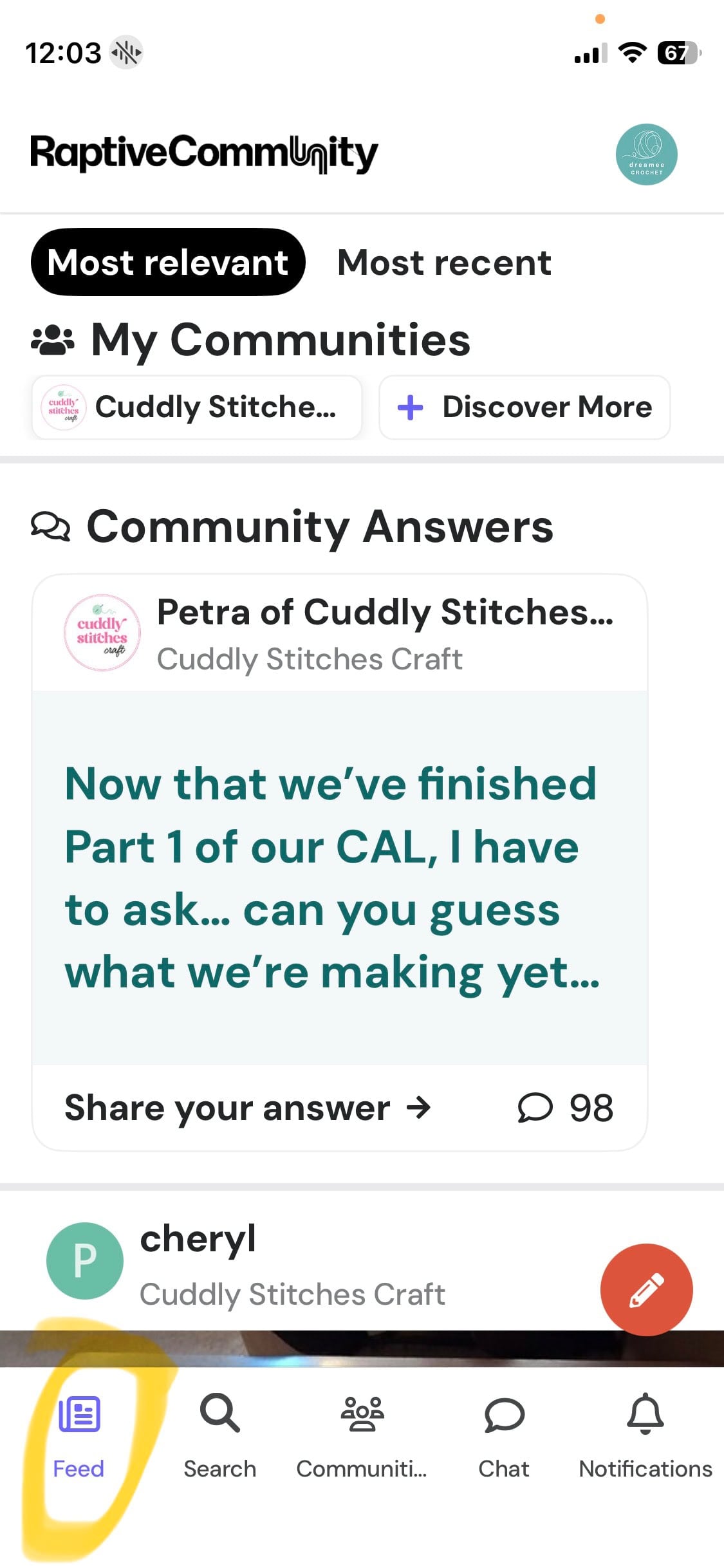
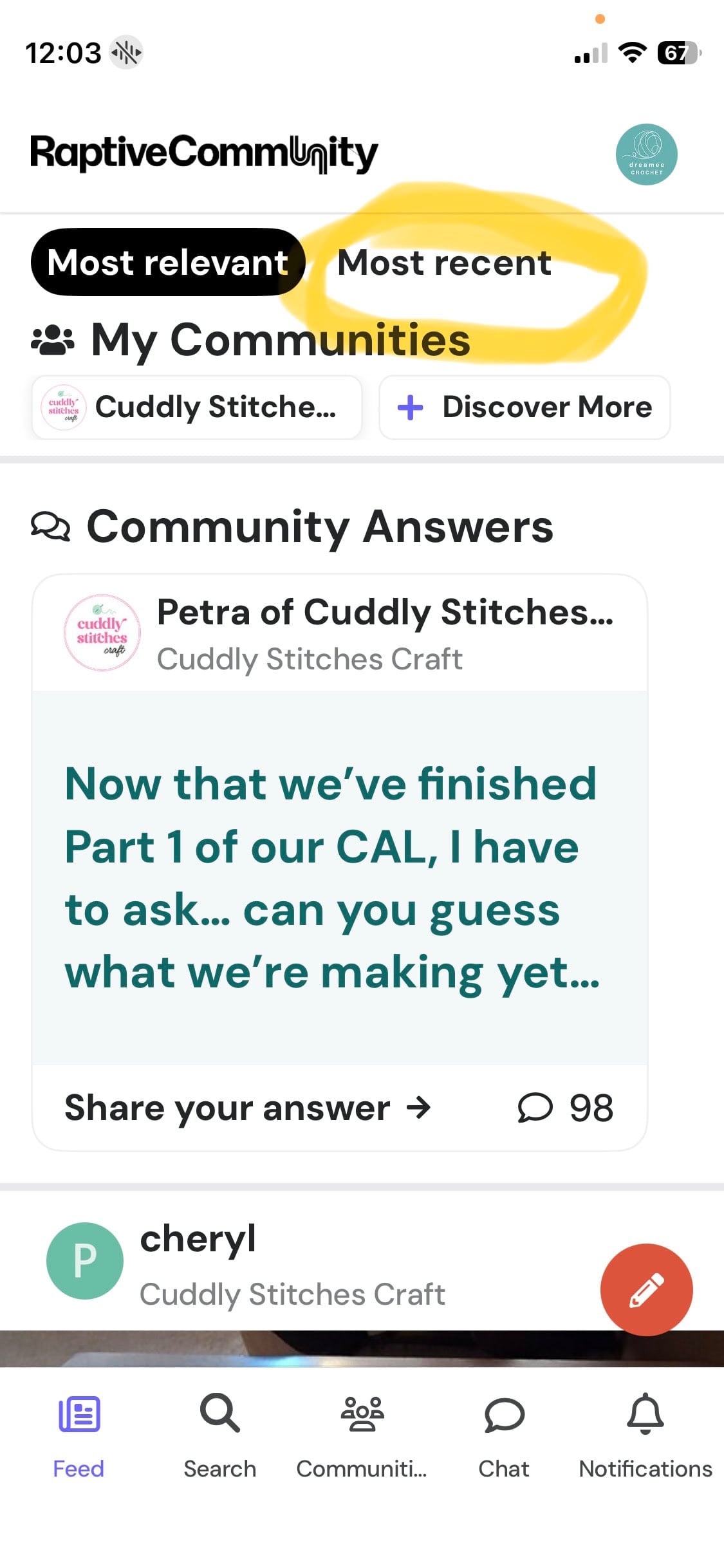
Your communities will be listed at the top of the feed. If you’ve only joined Cuddly Stitches Craft on the Raptive Community platform, you’ll only see Cuddly Stitches Craft listed here. If you’ve joined other communities then you’ll see them all at the top.
Your Feed will automatically show posts from all your communities, but you can filter the posts to a specific community by simply tapping on that community at the top of the screen.
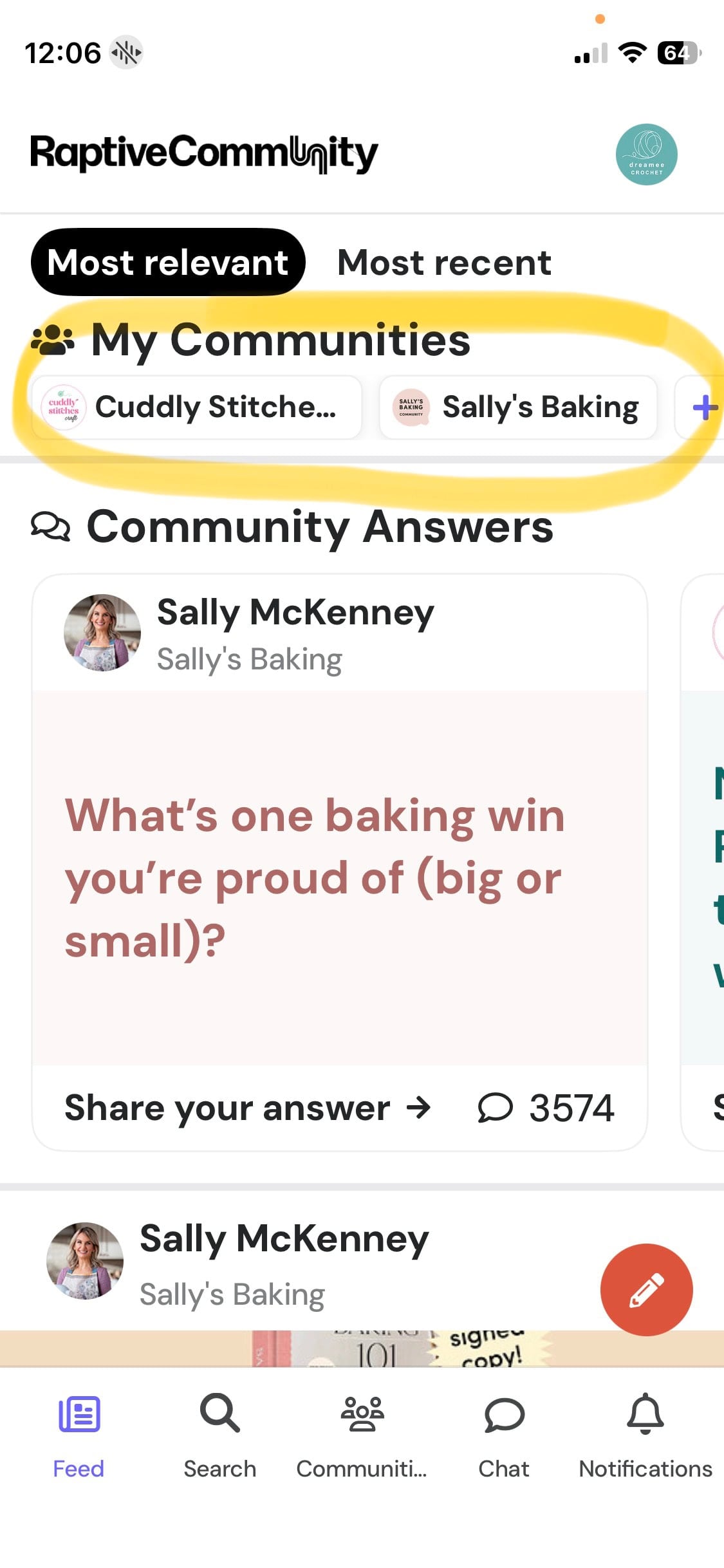
By default, your Feed will show posts sorted by Most Relevant. If you’d rather see the latest posts in chronological order, simply tap Most Recent at the top of the screen. This way you will not miss any of the posts.
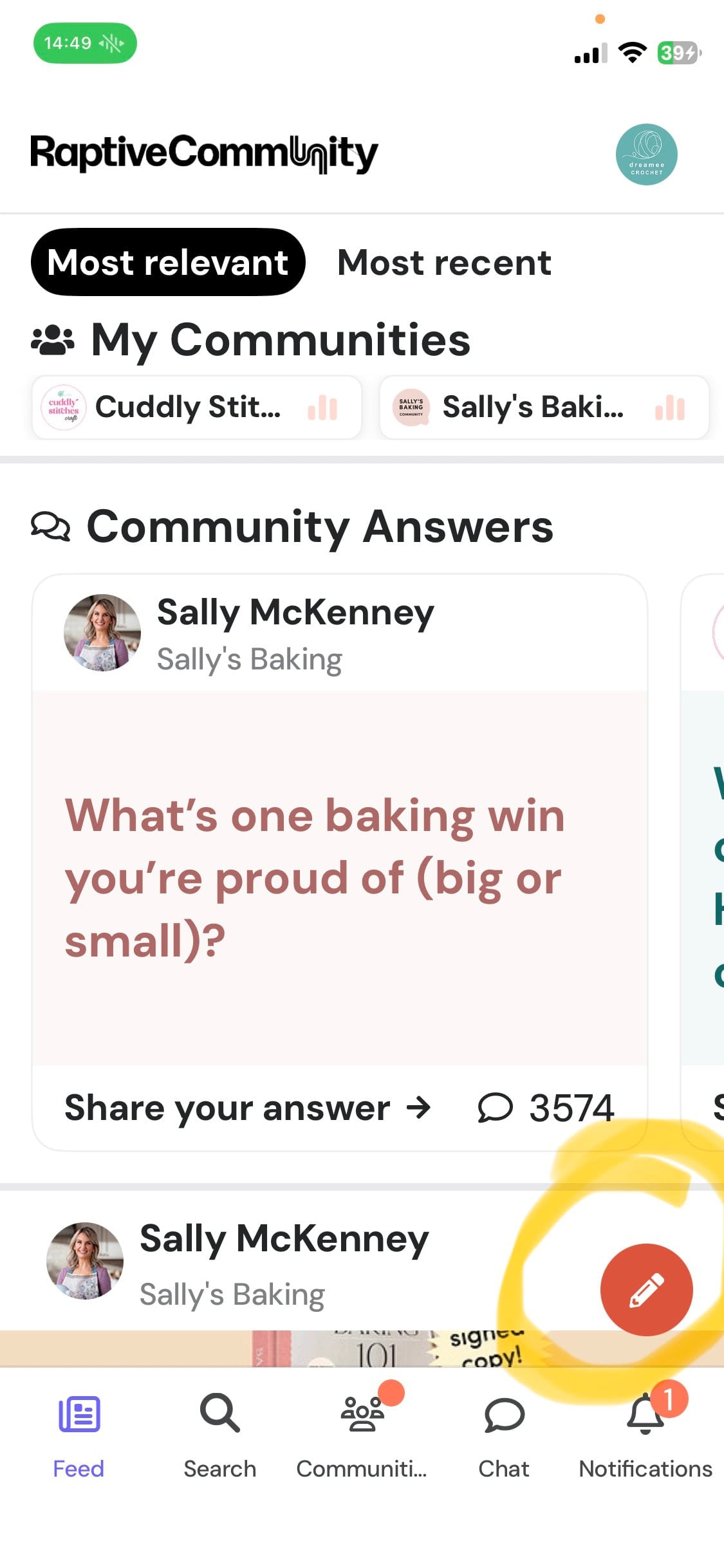
If you would like to share something with us then tap the little pencil icon in the bottom-right corner of your screen to create a new post.
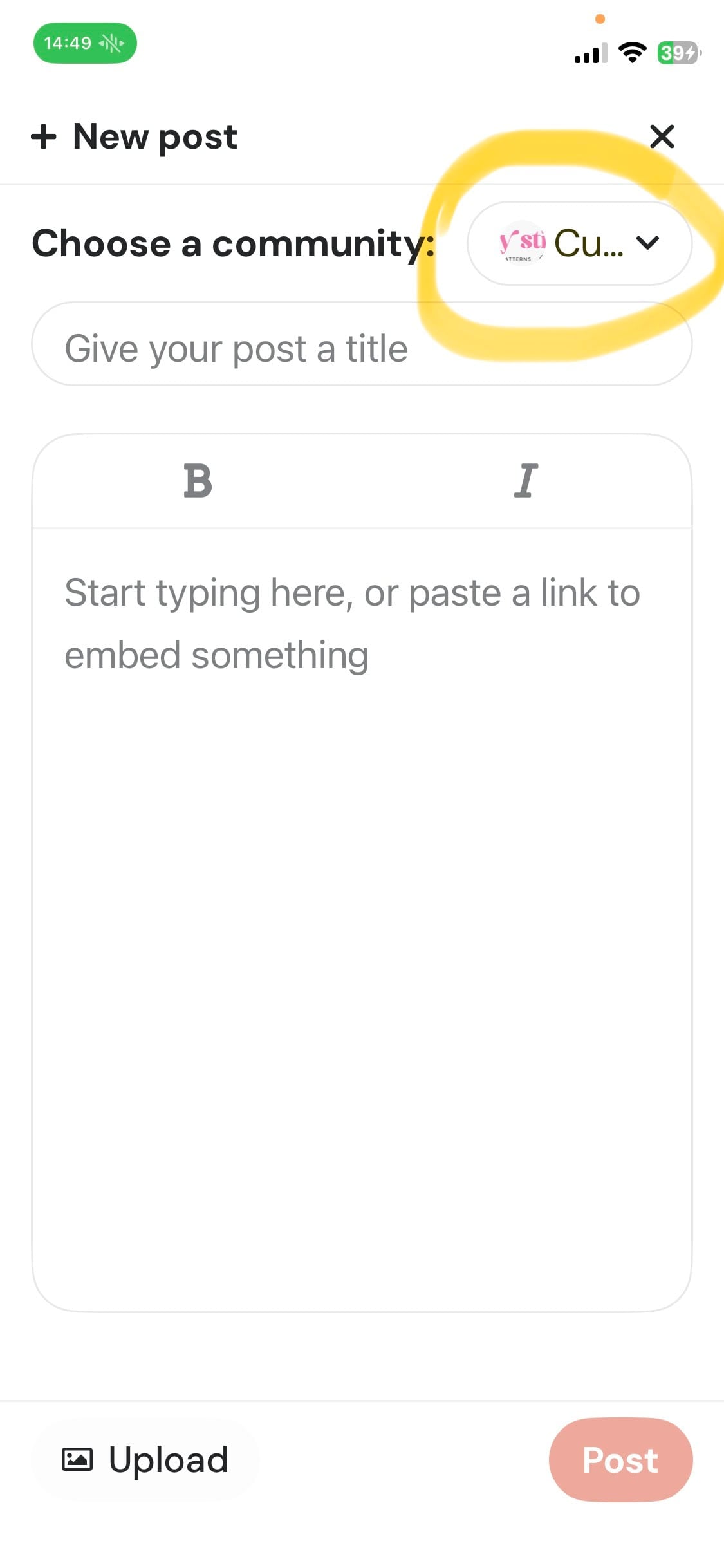
This will open a new screen where you can add a title and write your post, as well as upload a photo. Before submitting your post, make sure you select the correct community in the top right corner so your post appears in the right place.
You can also use the other options in the navigation bar at the bottom of the screen to explore more of the app. You can search for other communities, chat with me or other community members, check your notifications, and view the communities you’ve joined.
I hope this little guide makes the app easy to navigate and helps you get the most out of our community! If you prefer to use a desktop computer or laptop, just let me know if you’d like me to update this guide with a few screenshots showing you how to navigate the desktop version of the Raptive Community platform. You can contact me at info@cuddlystitchescraft.com
I can’t wait to see you there and see what you’re all making! ❤️
Love,
Petra x
Explore My Free Amigurumi Patterns and Tutorials
If you’re enjoying being part of our community and looking for inspiration for your next project, be sure to explore my Amigurumi patterns and video tutorials. I’m sure you’ll find a project you’ll love!
What is Amigurumi? And why you’ll love it!
Best yarn for Amigurumi crochet
Free crochet bunny lovey pattern
Happy crocheting!